.png)
Many Poser artists think of IK as something mainly useful for animation to help limbs move naturally by letting the hand or foot drive the motion of the joints above it. But IK isn’t just an animator’s tool. It's actually a useful way to create poses for still images too.
When you’re posing a figure for a render, IK can save time, reduce frustration, and help you create grounded, believable poses much faster than posing joint‑by‑joint. It’s one of those features that makes life easier, and once you get comfortable using it for still images, you’ll wonder how you ever posed without it all this time.
In Poser, you can turn IK on for each leg or arm individually through the Figure > Use Inverse Kinematics menu or by right-clicking on the figure.
In Poser, you can turn IK on for each leg or arm individually through the Figure > Use Inverse Kinematics menu or by right-clicking on the figure.
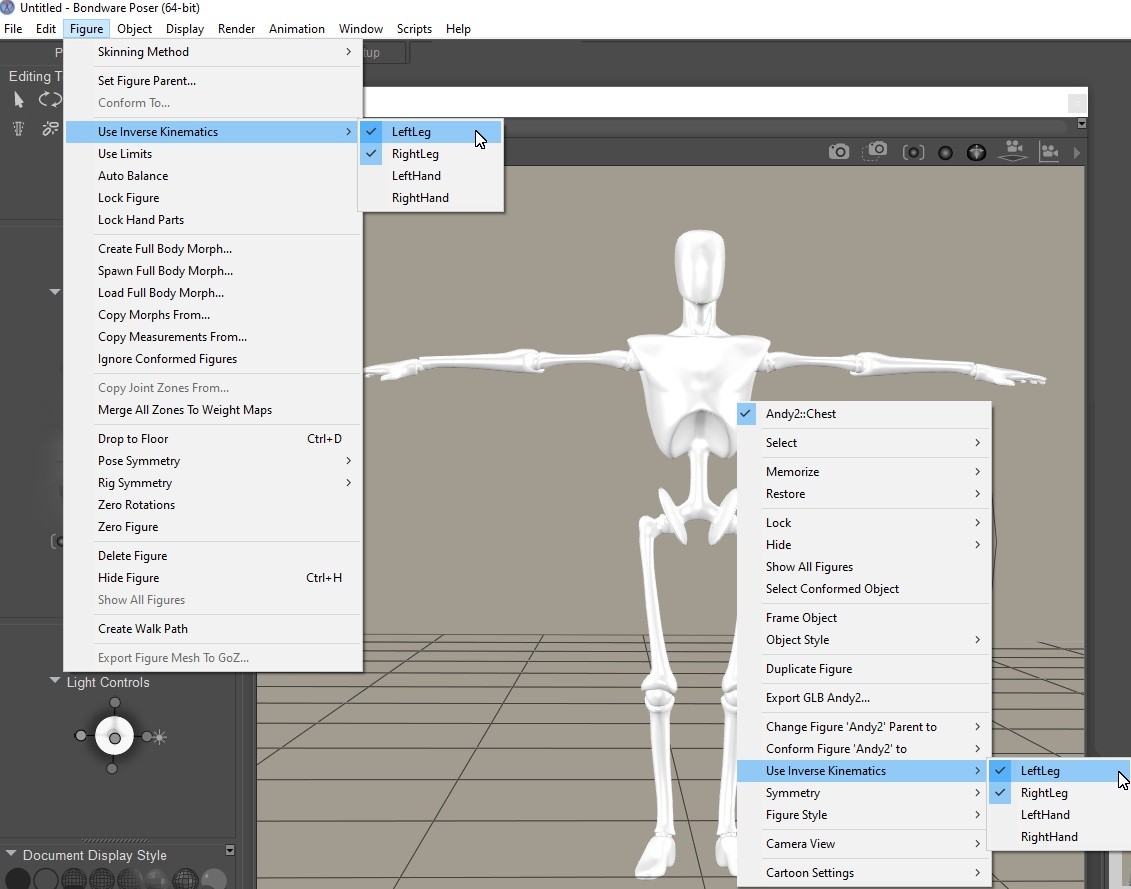
This gives you full control over which limbs should behave with IK and when enabled, moving a foot or hand causes the rest of the limb to adjust automatically, keeping bends natural and maintaining contact with the ground or props.
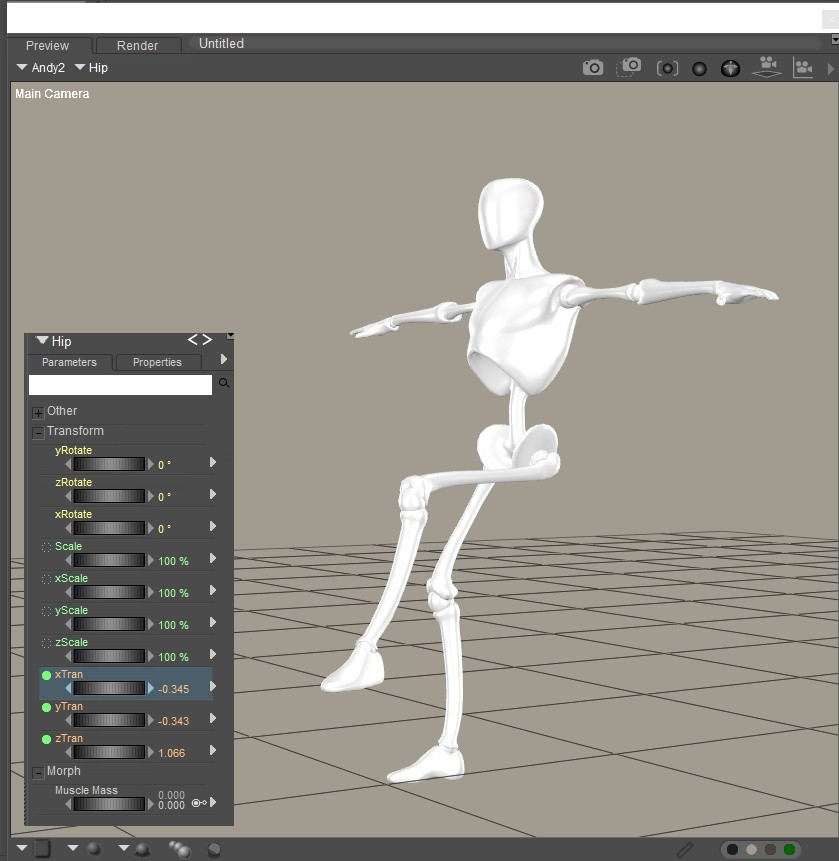
As you can see in the image below, only the yTran and zTran of the Left Foot were dialed and the rest of the limb was positioned accordingly.
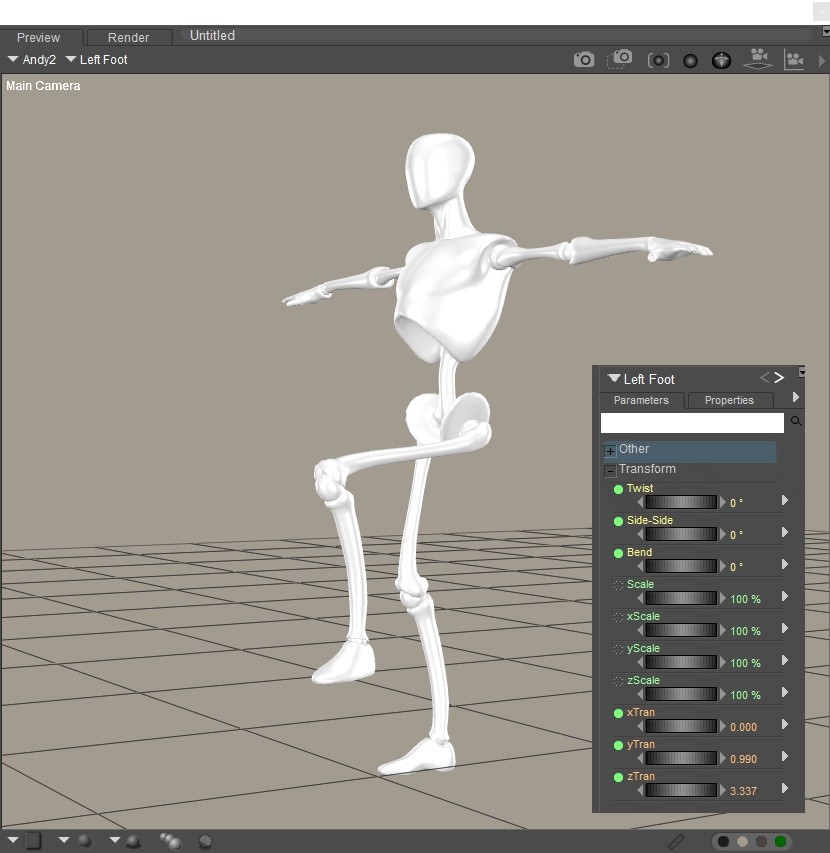
You’ll also notice how IK helps when adjusting the hip. With IK active, moving the hip up, down, forward, or sideways won’t cause the feet to drift or float. They stay anchored, letting you settle the figure into a pose much more easily. Just keep in mind that extreme movements can create odd angles, so it’s best to adjust the hip gradually and let the figure settle into place.
Using Inverse Kinematics is incredibly handy for everyday posing—sitting,
leaning, climbing, running, or any situation where the character
interacts with their environment.
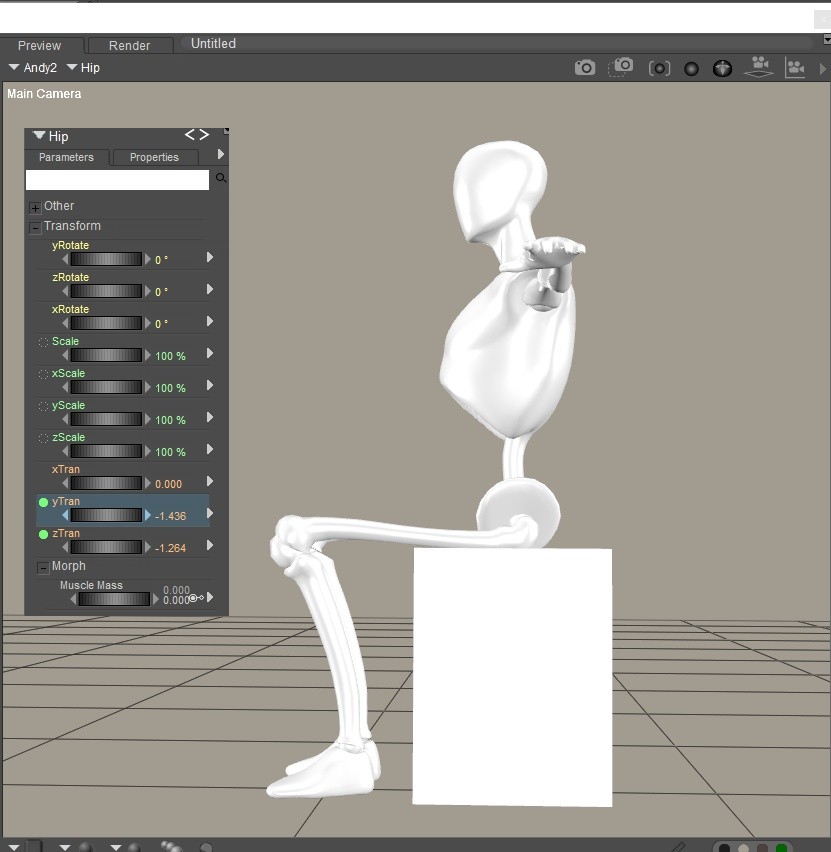
Take a simple example: posing a character sitting in a chair.
With IK enabled, you can lower the hips into position while the feet stay firmly on the ground. The knees bend naturally, the weight shifts and settles realistically, and you avoid the classic “hovering feet” or stiff, awkward leg angles that often happen when posing manually. IK helps you get the foundation of the pose right in just a few seconds.
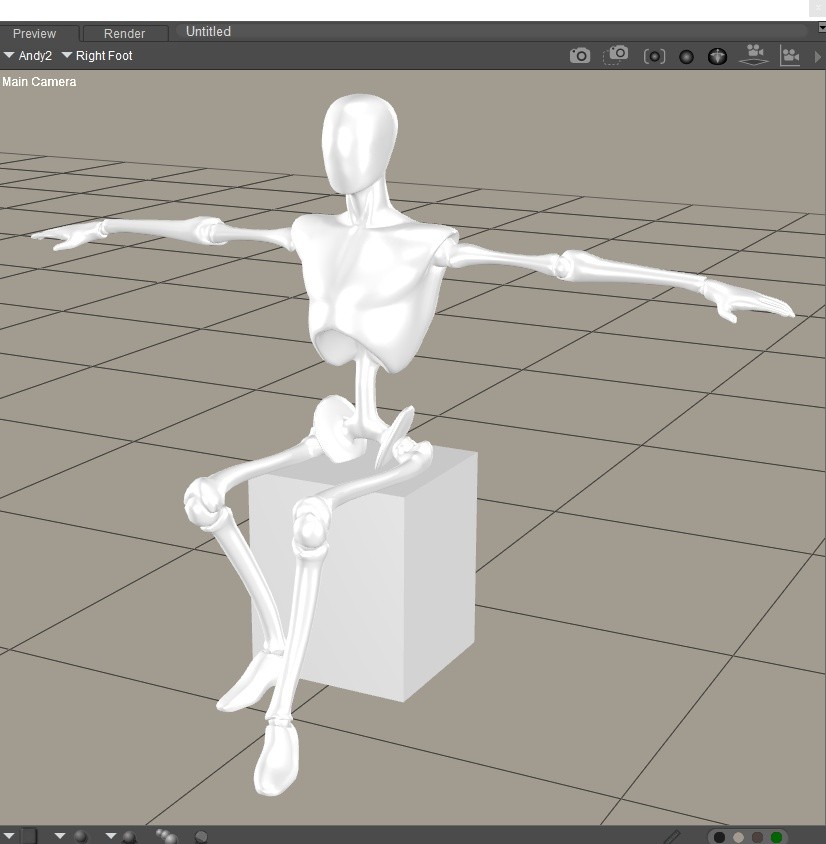
Once you’re happy with the overall placement it’s usually best to turn IK off and fine‑tune the joints manually. This prevents the limb from trying to stay locked in place while you make subtle adjustments. With IK disabled, you can refine the knee bends, adjust the feet and/or toes, and add all the little touches that make a still pose feel expressive and alive.
Inverse Kinematics is a friendly, time‑saving tool that can make posing for still images faster, more intuitive, and far more enjoyable. If you’ve only ever thought of IK as an animation feature, give it a try in your next still render and you may be pleasantly surprised by how much it helps.
And stay tuned for the next part of this series, where we’ll walk through practical examples of using IK to build dynamic action poses and show just how much time it can save in your everyday Poser workflow.